

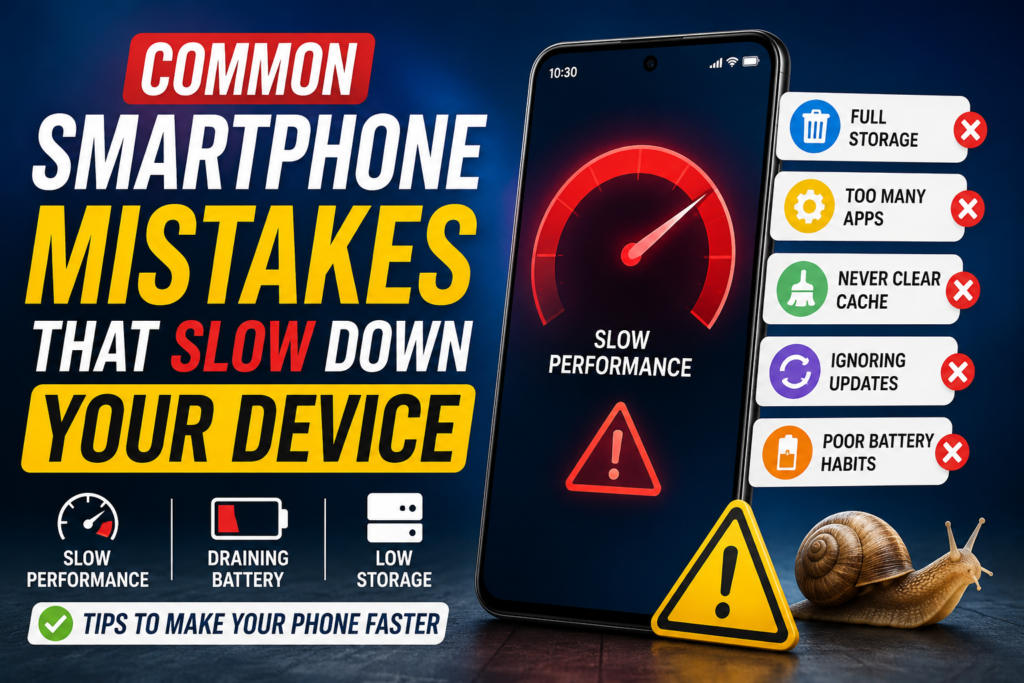
A smartphone has become an integral part of our daily lives. People use their devices for work, fun, games, communication, and even for shopping. However, having a slow smartphone can be very annoying.
A lot of users think that the only solution to this problem is to purchase a new device. The truth is that smartphones slow down due to several common mistakes that almost every user makes on a regular basis.
Luckily, almost all of them can easily be avoided.
In this article, you will find out what are the most common smartphone mistakes and how can you fix them.
Why Smartphones Become Slow.
The smartphone’s performance largely depends on its RAM, storage space, CPU, and battery.
If these four things get clogged with useless data and apps, the device will begin to behave sluggishly and erratically.
Some of the signs of such behavior are:
• slow app launching;
• lagging;
• slow internet;
• battery drain;
Why Smartphones Become Slow (Continued)
• phone heating;
• slow camera opening;
• slow phone startup (booting);
• failed updates;
So, what are the common smartphone mistakes that cause all of these issues? Let’s take a look.
1. Almost Full Storage.
You have probably noticed that your phone began to slow down when you filled it to more than 85 percent. The reason is that the operating system cannot function properly when there is not enough space left.
Symptoms of this issue are:
• freezing apps;
• slow camera saving;
• slow booting;
• failed updates;
How to Fix it
You should delete all the unnecessary stuff (videos, photos, or downloads). Moreover, delete all the unused apps as well. Try to store your photos and videos in cloud storage instead of your device.
The main thing is to keep at least 15 percent of space available.
2. No Restart.
Most of the smartphone owners leave their devices as they are for a very long time.
However, restarting your phone cleans it from temporary files and caches and fixes some issues. So it is recommended to do it at least once a week.
3. Having Too Many Apps Installed.
Each app that you have on your device consumes:
• apps’ space;
• RAM;
• resources;
Moreover, some of them work in the background even if you don’t use them. That is why you should delete all the apps that you never use and keep the number of apps to a small value. It is a good idea to do this once a month.
4. No System Updates.
Many users try to avoid system updates as much as possible.
The reason for this is that they believe that these updates may contain bugs.
However, the fact is that they usually have a lot of optimizations and fixes.
That is why you should always update your device’s operating system if an update is available.
5. Too Many Open Tabs in the Browser.
Modern browsers can consume a lot of memory.
Thus, if you have more than 100 open tabs in your browser, it will badly affect your device’s performance. Therefore, you should close the ones that you don’t use and bookmark the ones that you use often.
6. No Reliable Cleaning Apps.
There are many apps on Google Play and App Store that promise you to clean your device and optimize it. However, most of them work in the background, disturb you with ads, and consume your device’s power. Your Android or iOS device already has everything that is needed to clean it. So, it is better not to waste your time and money on fake apps, unless you know for sure that they are developed by reliable companies.
7. Too Many Background Apps.
Social media apps such as Facebook, Instagram, TikTok, Snapchat, etc., work a lot in the background. This may decrease your device’s performance, especially if you have a large number of such apps open. That is why it is a good idea to limit their activity in the background.
8. No Cache Clearing.
Most of the apps store a lot of unnecessary data in their cache. Thus, if you want to free some space on your device, you should clear the cache of such apps as YouTube, Chrome, Instagram, Facebook, Spotify, etc.
9. Animated Wallpapers.
Animated wallpapers ruin the phone’s performance as they consume a lot of battery power. So, you should avoid them if you want your device to work faster. Moreover, animated wallpapers are very useful for people who want to save their phone’s battery.
10. Poor Battery.
Poor battery health can also be a reason why your phone’s performance has decreased.
It can also be a reason why your phone randomly shuts down, heats up, or starts working properly. Some smartphone OS, such as Android or iOS, can reduce the performance of the smartphone if the battery health is not good enough.
11. Unreliable Apps.
Apps from untrusted sources may have malware or viruses.
They may also have some secret functions that can damage your device or decrease its performance. That is why you should avoid downloading any apps from unreliable sources.
12. Unnecessary Widgets.
Unnecessary widgets on your home screen can affect your device’s performance negatively as they usually work in the background. So, you should delete all the widgets that you don’t use.
13. No Protection from Overheating.
Overheating is one of the main reasons why your smartphone can malfunction. The main causes of it are gaming, charging, and exposure to sunlight. When the phone gets too hot, it starts to throttle (reduce) its performance to cool down.
14. No Organization of Photos and Videos.
Thousands of photos and videos can slow down your phone as well as make it difficult to find the media that you need.
That is why you should organize them from time to time. Moreover, you should delete the ones that you don’t need or that are blurry. You can also store them in the cloud to free up space on your device.
15. Cheap Chargers.
Cheaper chargers can damage your battery and slow down your device. Moreover, they usually overheat and can be dangerous. So, it is better to invest in a reliable and expensive charger that will not harm your device.
16. Too Many Widgets and Live Notifications.
Having too many live notifications or widgets can greatly affect your device’s performance as they work a lot in the background. You should disable all the unnecessary widgets and notifications to improve your device’s performance.
17. No Permission Management.
Some apps can work in the background and use your location, camera, microphone, or Bluetooth without your permission. So, it is important to deny their access if you don’t need it.
18. No Factory Reset.
If you have an old smartphone that started to work slower, you can try to do a factory reset to make it work faster. However, you need to remember that your data will be deleted, so you should back it up somewhere.
Simple Tips That Make Your Smartphone Faster.
So, these are the most common smartphone mistakes. Now let’s take a look at some simple tips that can make your smartphone faster.
• Restart your smartphone at least once a week.
• Keep at least 15 percent of space available on your device.
• Update your device’s operating system.
• Delete all the unnecessary apps.
• Clear the cache of your apps from time to time.
• Avoid fake cleaning apps.
• Use only reliable chargers.
• Delete all the unnecessary widgets.
• Limit apps’ activity in the background.
• Keep your device’s battery healthy.
Android vs iPhone: What Slows Down Smartphones More?
Both Android and iPhone can slow down due to the reasons mentioned above. However, Android devices tend to slow down more often than iPhones. The reason for this is that there are a lot of different manufacturers that produce Android smartphones and each of them has its own optimization policies. On the other hand, iPhones are usually more optimized and can work longer without any significant changes in performance.